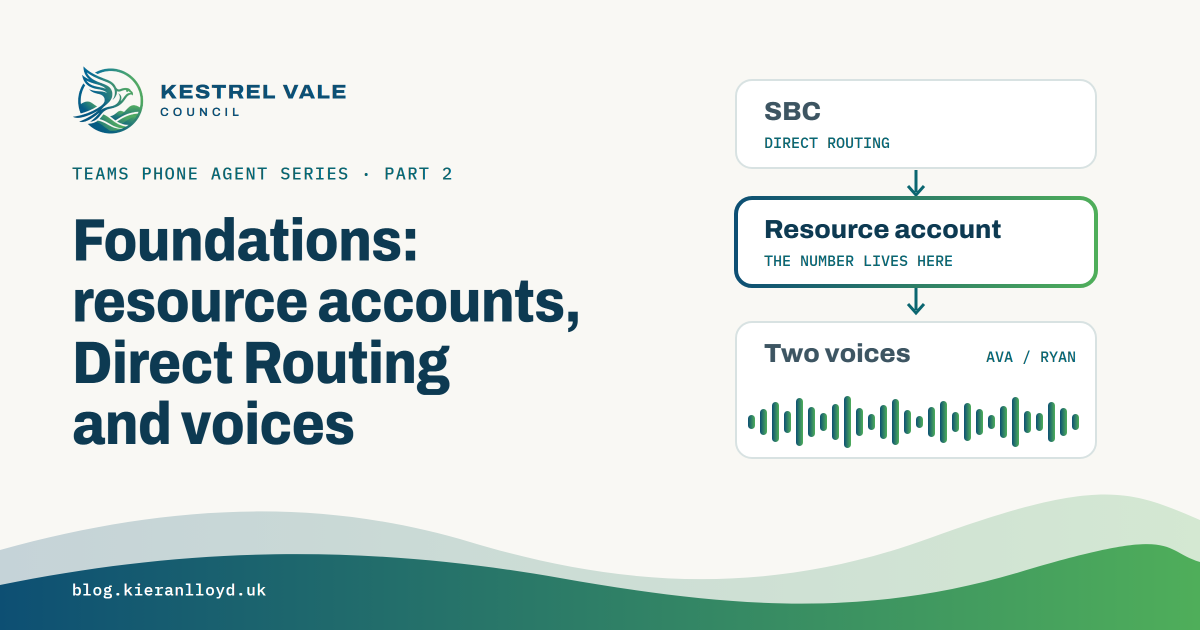

None of this is the interesting part of Teams Phone Agent. It’s the part that decides whether your first test call gets answered, and whether it sounds like it belongs to a UK council or a US software company. If you’ve done Teams voice for a while, most of it will feel familiar, with a couple of surprises.
Resource accounts#
A Teams Phone Agent needs its own resource account, and since GA that’s the only way in. The admin centre option to reach one “through a voice app” without a resource account isn’t available for Teams Phone Agent. The resource account holds the phone number and needs a Teams Phone Resource Account licence. Those licences are free, but you only get a set number of them based on your Teams Phone licences, and I had to free one up in my lab before I could carry on.
A new resource account type#
Teams Phone Agent has its own resource account type, so the main Kestrel Vale line uses a Teams Phone Agent resource account rather than an auto attendant one. In the admin centre it’s just another option in the resource account type list. In PowerShell it’s another application ID:
| Type | Application ID |
|---|---|
| Teams Phone Agent | 7d563055-b6cc-4d7a-93c1-38aa762b34ae |
| Auto attendant | ce933385-9390-45d1-9512-c8d228074e07 |
| Call queue | 11cd3e2e-fccb-42ad-ad00-878b93575e07 |
New-CsOnlineApplicationInstance -UserPrincipalName ra-main@contoso.com -ApplicationId 7d563055-b6cc-4d7a-93c1-38aa762b34ae -DisplayName "Main line"If you copy the ID from Microsoft’s docs, take it from the resource accounts article. At the time of writing, the New-CsOnlineApplicationInstance and Set-CsOnlineApplicationInstance reference pages list it with the last character missing, which isn’t a valid GUID.
You can check which type your existing resource accounts are with:
Get-CsOnlineApplicationInstance | Select-Object DisplayName, UserPrincipalName, ApplicationIdDo the queues behind it need resource accounts?#
Microsoft’s nesting guidance says a call queue sitting behind a voice app that has already answered the call doesn’t need its own resource account. Only the first voice app to answer does. So strictly, Customer Services and Housing Repairs don’t need one.
Transfers back from Copilot Studio don’t need them either. My tag template sends each tag straight to the queue as a voice app, so the queue’s resource account never comes into it.
I kept them anyway, for two reasons:
- The Queues app. Authorised users can’t change the settings of a queue that’s nested without a resource account. That rules out a supervisor changing queue settings from Teams, which is a nice demo moment.
- What staff see. How a call reaches a queue changes historical reporting and the name on the incoming call pop-up.
Transfers into a Teams Phone Agent, from an auto attendant, a call queue or another Teams Phone Agent, need to go to its resource account. Microsoft currently lists voice app transfers for those as a known issue, so they may be fixed later. Watch out though, because the same article’s menu options still list a Teams Phone Agent as a voice app destination, so it’s an easy one to set up by mistake. This matters once you start chaining agents together, which post 9 does.
AI Agent resource accounts#
There’s another option on the horizon. New-CsAgent creates an AI Agent that you associate with a resource account, so a Copilot Studio agent can answer its own number with no Teams Phone Agent in front of it. Microsoft lists it as a private preview, I haven’t tested it, and it’s out of scope for this series for now.
Direct Routing#
The good news for anyone running their own SBCs is that Teams Phone Agent is invisible to them. My SBC sends an INVITE to the resource account’s number, exactly as it would for an auto attendant, and Teams answers it. There’s nothing Teams Phone Agent specific to configure on the SBC side.
On the Teams side, assigning the number is the same as any other resource account:
$ra = "ra-kvc-main@contoso.com"
Set-CsPhoneNumberAssignment -Identity $ra -PhoneNumber "+44XXXXXXXXXX" -PhoneNumberType DirectRouting
Two things to sort out at the same time:
- Usage location. Set it on the resource account before you assign the licence, and make sure it matches the number. Mine are all GB.
- Outbound calls. If the Teams Phone Agent will ever transfer to an external number, the resource account needs an online voice routing policy that can reach it. Also read Microsoft’s note on the licensing changes for auto attendant and call queue outbound PSTN calling from November 2025, because it applies here too.
For testing, I registered a SIP softphone directly on my SBC so I could ring the line as different residents with different caller IDs. That gets its own post later in the series, because it changed how quickly I could test everything else.
Voices#
This is the one that caught me out. On a Kestrel Vale call your caller hears two voices, and you set them in two different places.
The Teams Phone Agent voice is set on the Teams Phone Agent itself. It’s a short list:
| Voice | Optimised for |
|---|---|
| Aarti | English (India) |
| Andrew | English (US) |
| Ava, the default | English (US) |
| Diya, Meera | Hindi |
| Florian | German |
| Xiaoxiao, Yunxiao | Chinese (Simplified) |
| Ximena | Spanish (Spain) |
Every voice can speak every supported language, but there’s nothing optimised for British English, even at GA. Setting the Teams Phone Agent’s language to English (United Kingdom) controls the language of the disclaimer and the fallback language, not the accent. My first test call was greeted in an American accent, which isn’t what you want on a UK council line. I started on Ava and have since moved to Andrew.
The Copilot Studio agent voice comes from the agent, and it speaks British English. So when Teams Phone Agent hands a call to the Council Services agent, the caller goes from an American voice to a British one mid-call.
Which British voice is another matter. Copilot Studio’s voice settings let me pick from a list of British English voices, and I tried Olivia, Hollie and Libby. Every one of them came out as en-GB-RyanNeural, in the test panel and on the phone, even after publishing. A solution export showed my choice was saved. Microsoft’s docs only describe choosing a voice for real-time voice agents, and Kestrel Vale is a basic voice agent using classic orchestration. As far as I can tell, a basic voice agent speaks with the default voice for its language, whatever the settings page says. You can see the voice actually used in the speak field of the conversation transcript, so check there rather than trusting the setting.
For a customer project, I’d do three things:
- plan the voices for both halves together, and remember that on a basic voice agent you get the default voice for the language
- tell the customer up front that there’s no British English voice for the Teams Phone Agent yet
- keep the greeting and disclaimer short, because that’s the part spoken in the less local voice
Tooling#
A quick note on PowerShell, since a lot of this series uses it. I’ve been on MicrosoftTeams module 8.0.0. The docs say 7.9.1-preview or later for the newer Teams Phone Agent cmdlets. On 8.0.0, New-CsAutoRecordingTemplate makes -AgentViewPermission mandatory even though the docs show it as optional, so expect the odd mismatch between the docs and the module. You’ll also want the Microsoft Graph module for licensing resource accounts.
What I’d do differently#
Name everything from day one. I used ra-<org>-<purpose>, so ra-kvc-main, ra-kvc-cs and so on. I’m planning to build other demo organisations in the same tenant, and the org prefix will keep their resource accounts apart. On a customer tenant the same idea works per site or per department. Decide up front which queues get resource accounts, based on whether supervisors will manage them from the Queues app.
Next up is Q&A tools: getting your content in.