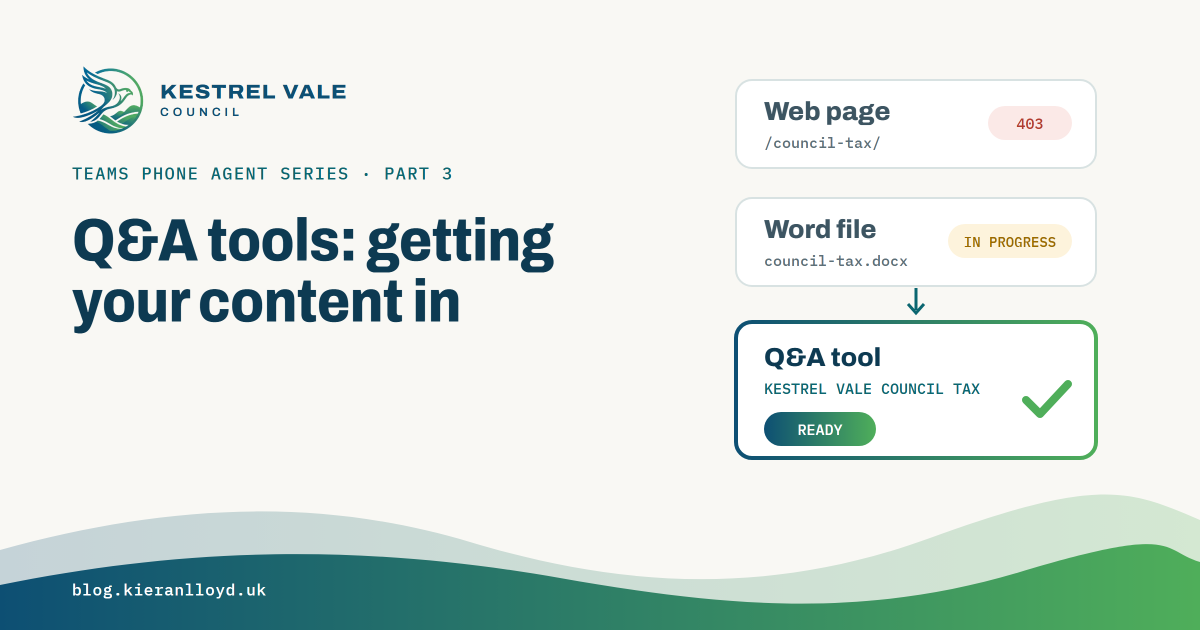

A Q&A tool is the easiest thing to add to a Teams Phone Agent. Getting my content into one took longer than I expected. My web pages never got read, and my Word documents sat in progress for days with no error. This post covers how the tools work, what blocked me and what fixed it.
What a Q&A tool is#
A Questions and Answers tool is the Teams Phone Agent’s knowledge base. You create it in the Teams admin centre under Voice > Templates and resources > Tools. Select Add, choose Questions and Answers, then pick Knowledge - Document or Knowledge - URL. There’s a PowerShell route too, New-CsMainlineAttendantQuestionAnswerFlow, but I used the admin centre.
The limits, from Microsoft’s planning and setup pages:
| Documents | URLs | |
|---|---|---|
| What | DOC/DOCX, JSON, HTML, XML, PDF, PPTX, TXT, CSV, XLS/XLSX, ZIP | Public pages only |
| Limit | 10 files, 5 MB in total per tool | The exact page only. No crawling, links aren’t followed |
| Not allowed | Sensitivity labels or password protection | Authenticated or intranet pages |
At GA, URLs are rescanned once a day. The docs also ask for single-language content, defined acronyms, no complex or nested tables, no images or macros, no conflicting information between articles, and no workflow instructions. They say each tool should only hold answers for the questions callers ask on that number, because a generic tool gives generic answers. Teams Phone Agent doesn’t keep a copy of your articles, only an abstract representation. Both pages list known issues as “None”.
How Kestrel Vale uses them#
I ended up with two tools. Kestrel Vale Council Tax covers bands, charges, discounts and how to pay, from three source documents. Kestrel Vale General covers contact details, opening hours and parking permits, also from three.
On the menu, key 1 points at the council tax tool and key 6 at the general one. The Teams Phone Agent decides where to send a caller from what they say, using each option’s voice command and description, so the greeting doesn’t read out a list. Post 4 covers the menu.
Attempt one: URLs#
I built the council’s public website on Power Pages, on a trial site, and pointed the tools at pages like https://kestrelvale.contoso.com/council-tax/, /council-tax/discounts/, /council-tax/pay/, /contact-us/, /opening-hours/ and /parking-permits/. It didn’t work, in two stages.
First the tool said it couldn’t locate the URL. I’d entered the pages without a trailing slash, and the site answered with a 301 redirect to the slashed version. It looks like the tool doesn’t follow redirects. Entering the exact URL that returns a 200 got me past that.
Then I got a 403. The trial site’s robots.txt was User-agent: * and Disallow: /. In my own testing the site returned a 200 to a normal browser and a 502 to an AI crawler user agent, GPTBot. I can’t see inside Microsoft’s reader, so that’s the likely cause and not a proven one.
I gave up on URLs for the demo. That’s not a verdict on URL knowledge, only on a Power Pages trial site with its defaults. If you try it, check that the site visibility is public, use the exact final URL with no redirect, read the robots.txt, and on a production site look at the bot rules in the Power Pages Web Application Firewall. I haven’t re-tested URL knowledge since GA.
Attempt two: Word documents#
So I uploaded documents. Six Word files, three per tool. All six sat at InProgress for at least three days, and the error field stayed null. No failure and no message, which is worse than an error because there’s nothing to search for.
The admin centre only shows the tool as In progress. PowerShell shows each document.
Get-CsMainlineAttendantQuestionAnswerFlow | Format-List *The KnowledgeBase field holds a JSON entry per document with a status and an error. Here’s a sanitised version of my first council tax tool while it was stuck.
Name          : KVC-CouncilTax
Type          : QuestionAnswer
Description   : Kestrel Vale council tax: bands, charges, discounts, payment
KnowledgeBase : [{"document_name":"KVC Council tax.docx","description":"...","status":"InProgress","error":null}, ...]
For a single tool, this is quicker.
(Get-CsMainlineAttendantQuestionAnswerFlow -NameFilter "Kestrel Vale Council Tax").KnowledgeBaseThe same content saved as .txt reached Ready quickly, and that’s what the demo uses now.
I can’t say for certain why the Word files stuck, but I have a good suspect. I wrote them on my work laptop, where Word has sensitivity labels, and uploaded them to the lab tenant. Microsoft’s docs say Q&A documents must not carry sensitivity labels. After GA I created a new Word document inside the lab tenant and uploaded it to a test tool, and it went to Ready almost straight away. So Word documents do work. The test was after GA, so I can’t rule out a fix on Microsoft’s side, but my money is on where the files were written.
It’s an easy one to fall into on a real project. Content often gets drafted on one tenant’s machine and uploaded to another, and the label travels with the file.
One more thing to watch. The admin centre let me pick the council tax tool on a menu option while its documents were still In progress. Being selectable doesn’t mean it’s ready.
On a customer project#
- Check every document is Ready in PowerShell before you wire a tool to the menu. Don’t trust that it’s selectable in the admin centre.
- Start with plain text or simple documents. Clean, single language, no complex tables.
- Check documents for a sensitivity label before you upload them, especially if they were written in a different tenant. Better still, create them in the tenant that will use them.
- Keep tools narrow, as Microsoft suggests. Kestrel Vale splits council tax from general information.
- If you use URLs, check them as an anonymous client and with a bot user agent, use the exact final URL, and remember that since GA a website change reaches the phone within a day.
- Decide who owns the content. When council tax changes in April, somebody has to update the tool.
Next up is building the Teams Phone Agent in the admin centre, including the menu that sends callers to these tools.